
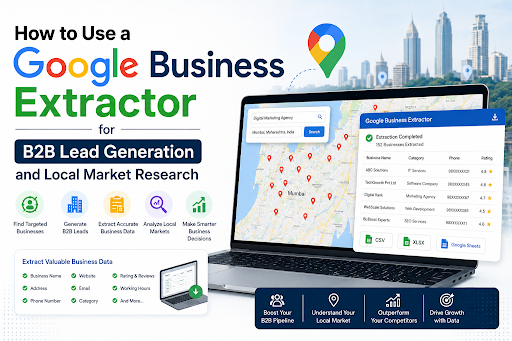
Suppose your sales team wants to identify potential businesses in a particular industry and location. Where do you begin?
You could manually search, open each business listing, enter pertinent info into a spreadsheet, and do this hundreds of times. While it might work for a few prospects, it won't be very efficient in the cases of hundreds or thousands of businesses in your target market.
A Google Business Extractor can make the research process more structured by helping businesses organize relevant publicly available business information for prospecting and market analysis. But extracting information is only the beginning. The real value comes from deciding who you want to find, cleaning what you collect and turning that information into a usable sales workflow.
Here is a practical way to approach it.
Step 1: Define Exactly Who You Want to Find
Do not start by collecting as many businesses as possible.
Start by defining what a useful prospect actually looks like.
A sales team selling restaurant billing software, for example, probably does not need a database containing every business within a city. It needs restaurants that match its target customer profile.
Before beginning your research, define:
- Industry: What broader market are you targeting?
- Business category: Which specific type of business is relevant?
- Geography: Which city, region or territory matters?
- Customer type: Are you targeting retailers, service providers, distributors, manufacturers or another group?
- Sales relevance: Why would these businesses potentially need what you sell?
This sounds basic, but poor targeting at this stage creates problems later. A database containing 5,000 loosely relevant businesses can be less useful than one containing 500 well-matched prospects.
Step 2: Build Your Search Around the Target Market
The quality of your search directly influences the usefulness of the resulting database.
Consider the difference:
Too broad:
Restaurants
Better:
Restaurants in Pune
More useful:
Cloud kitchens in Pune
The third search gives the sales team a much clearer segment to investigate.
The same thinking works across industries:
- Interior designers in Bengaluru
- Industrial equipment suppliers in Ahmedabad
- Dental clinics in Hyderabad
- Real estate agencies in Mumbai
- Coaching institutes in Jaipur
You can go further by dividing a large city into specific locations or researching different business categories separately.
Instead of thinking, "How many businesses can we collect?", ask:
"Which searches will produce businesses that genuinely belong in this campaign?"
That change in thinking usually improves the database before any data is collected.
Step 3: Use a Google Business Extractor to Organize Relevant Business Information
Once the search criteria are clear, a Google Business Extractor can support the process of gathering and organizing business information associated with the target searches.
Depending on the information publicly available for individual businesses, your working dataset may include details such as:
- Business name
- Business category
- Location
- Phone number
- Website
- Other relevant business listing information
Avoid assuming that every listing will contain every field.
Some businesses maintain detailed listings. Others may have incomplete, inconsistent or outdated information. That is why extracted information should be treated as raw research data, not automatically as a finished lead database.
The distinction matters.
Extraction helps you build the starting dataset. Qualification determines whether someone belongs in your sales pipeline.
Step 4: Clean the List Before Calling It a Lead Database
This is where many prospecting exercises fall apart.
A spreadsheet full of businesses may look impressive, but its size tells you very little about its sales value.
Before using the data, review it for:
Duplicate businesses
The same business may appear more than once because of different searches, categories or locations.
Remove duplicates so salespeople do not contact the same company repeatedly.
Irrelevant results
Search results are not always perfectly aligned with commercial intent.
If you searched for construction companies, for example, you might encounter consultants, directories, suppliers or businesses that do not match your intended customer profile.
Remove them.
Incomplete records
A prospect may still be useful with limited information, but incomplete records should be identified so the sales team understands what further research is required.
Outdated information
Businesses relocate, close, change phone numbers or launch new websites.
Review important information before relying on it for outreach.
A clean database reduces wasted sales effort and makes subsequent segmentation far more reliable.
Step 5: Segment Prospects Before Outreach
Do not give your sales team one giant spreadsheet and expect them to figure everything out.
Divide prospects according to how you intend to approach them.
|
Segment |
Possible Purpose |
|
Location |
Territory-based campaigns |
|
Business category |
Industry-specific outreach |
|
Business type |
Better message relevance |
|
Priority |
Sales follow-up planning |
Imagine an agency targeting fitness businesses.
Rather than treating gyms, yoga studios, CrossFit centers and personal trainers as one audience, it could separate each group and tailor the outreach accordingly.
Segmentation can also help distribute leads between sales representatives or organize campaigns by geography.
The database now begins behaving like a sales asset rather than a collection of rows.
Step 6: Turn Business Data Into a Prospecting Workflow
The simplest framework is:
Each stage has a different job.
Research identifies the market.
Extract creates the initial dataset.
Review removes poor-quality entries.
Segment groups similar prospects.
Prioritize decides where sales effort should go first.
Outreach begins the actual conversation.
Track records what happens next.
Tracking is particularly important.
Your team should know which businesses have been contacted, who responded, who requires a follow-up and which categories are generating meaningful conversations.
Otherwise, the same database may gradually turn into another forgotten spreadsheet.
Don't Stop at Lead Generation: Use the Data for Local Market Research
A well-organized business dataset can reveal more than potential prospects.
It can also help teams understand the structure of a local market.
Competitor density
How many businesses in a particular category appear concentrated within a specific area?
A dense market may indicate strong demand but also greater competition.
Geographic opportunities
Comparing different areas can reveal locations where a target business category appears more or less concentrated.
This can support decisions around sales territories, partnerships or expansion research.
Category concentration
Suppose a company sells products to beauty businesses.
Separating salons, nail studios, spas and beauty clinics can help it understand which categories dominate particular areas.
Territory planning
Instead of assigning arbitrary territories, sales managers can use market information to organize areas according to actual business concentration.
Potential market gaps
Areas with fewer businesses in a particular category may warrant further investigation.
That does not automatically mean there is an opportunity; demographics, demand, competition and other factors still need consideration. But business data can indicate where deeper research may be worthwhile.
Common Mistakes That Make Extracted Data Less Useful
Even the right tool cannot compensate for a weak prospecting strategy.
Watch for these common problems:
- Starting with broad searches and collecting large quantities of irrelevant businesses
- Assuming every extracted business is automatically a qualified lead
- Failing to remove duplicate records
- Contacting prospects without reviewing whether they fit the offer
- Sending identical outreach to completely different business categories
- Ignoring geographic differences between markets
- Using outdated information without verification
- Collecting data without establishing a follow-up process
- Measuring success by database size rather than actual sales conversations
- Ignoring applicable privacy, platform and communication requirements when conducting outreach
The goal is not simply to acquire more rows.
It is to reduce the distance between market research and a relevant sales conversation.
A Database Is Only Valuable When There Is a Strategy Behind It
Lead generation rarely improves simply because a business has more data.
What matters is whether that data helps the sales team identify the right companies, understand the market, prioritize opportunities and approach prospects with greater relevance.
When used as part of a defined workflow, a Google Business Extractor can support both B2B prospect research and local market analysis without turning the process into endless manual searching.
At The Future Tech, we focus on providing businesses with data extraction solutions that can support more organized prospecting and business research. The strongest results, however, come when the technology is paired with clear targeting, data review and a disciplined outreach strategy.
Frequently Asked Questions
1. What is a Google Business data extractor used for?
It is generally used to organize publicly available business information around particular categories and geographic searches. Businesses may use the resulting information for prospect research, database building, territory planning and local market analysis.
2. Can extracted business information be treated as ready-to-contact leads?
Not automatically. An extracted business is better treated as a potential prospect until its relevance has been reviewed. Businesses should check whether each prospect fits their target customer profile before beginning outreach.
3. How can businesses improve the quality of an extracted lead database?
Start with narrow search criteria, remove duplicates, check irrelevant listings, review incomplete information and segment businesses according to factors such as category, geography and sales priority.
4. Is a larger B2B database always better?
No. Database size is not the same as lead quality. A smaller list containing businesses that closely match your ideal customer profile may produce far more useful sales opportunities than a much larger but poorly targeted database.
5. Can business listing data be useful beyond lead generation?
Yes. Organized business information can also help with competitor research, geographic analysis, category concentration, sales territory planning and identifying areas that may deserve further market investigation.
6. What should happen after a prospect database has been created?
Review and segment the data before outreach. Then establish a system for recording contacts, responses, follow-ups and outcomes. This makes it possible to understand which segments and markets are producing worthwhile sales conversations.